BasePlayer manual
Introduction
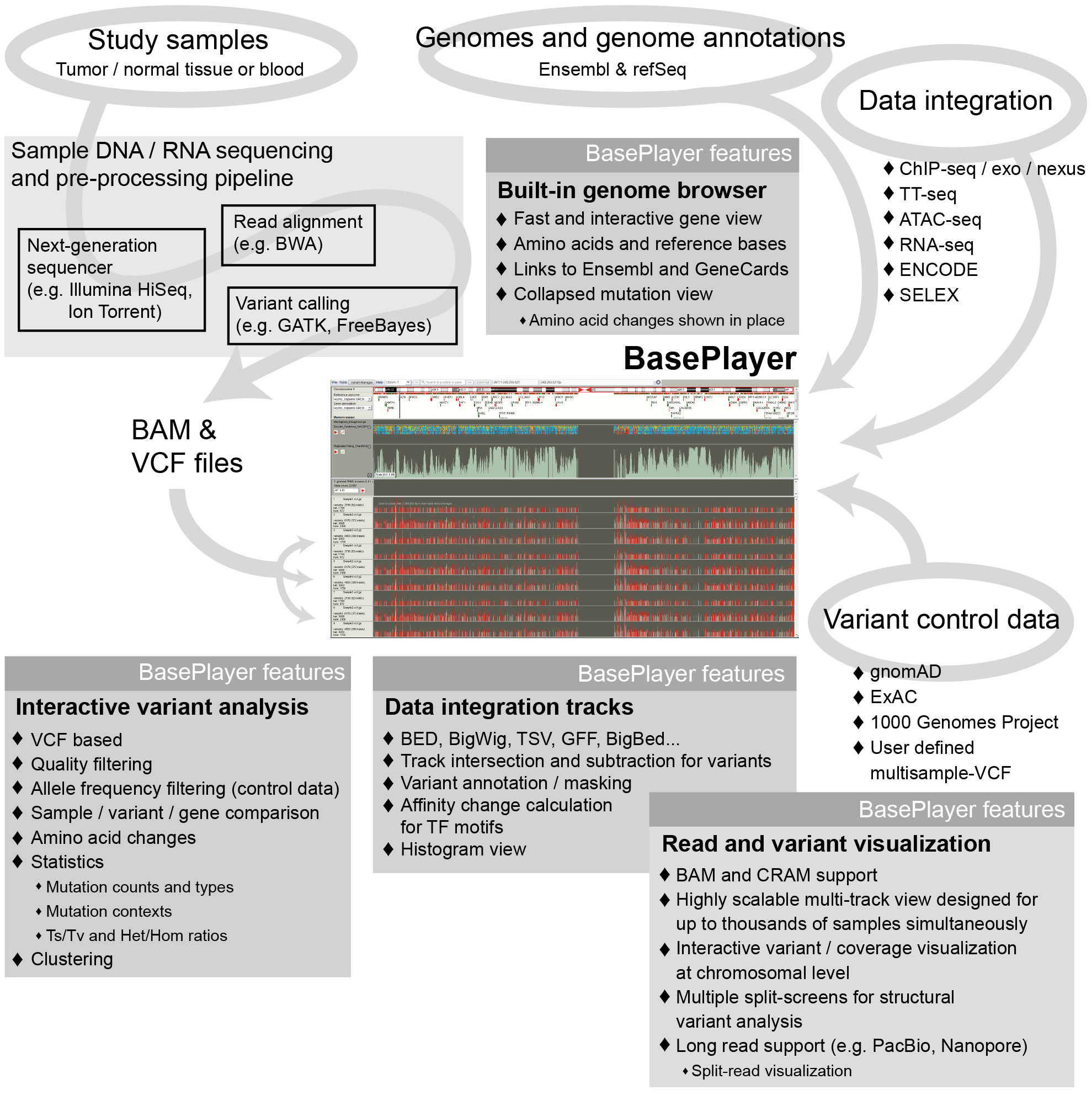
BasePlayer enables tightly integrated comparative variant analysis and visualization of thousands of next generation sequencing (NGS) data samples and millions of variants. BasePlayer is a highly efficient and user-friendly software for biological discovery in large-scale NGS data. It transforms an ordinary desktop computer into a large-scale genomic research platform, enabling also a non-technical user to perform complex comparative variant analyses, population frequency filtering and genome level annotations under intuitive, scalable and highly-responsive user interface to facilitate everyday genetic research as well as the search of novel discoveries.
Getting started
- Make sure you have Java jre 1.7 or newer installed. Note: OpenJDK "9-Ubuntu" has issues with autoupdate.
- BasePlayer can be updated automatically at "File > Update" or manually by downloading BasePlayer.jar from https://baseplayer.fi/update/
- Download the BasePlayer and unzip/install it to any location with enough hard-disk space (e.g. in the human studies, the reference genome size is ~3GB)
- When using "BasePlayer portable package", click Launcher.jar (in unix you need jar-launcher and Launcher.jar must have executable rights.) Alternatively click BasePlayer.jar (may not allocate enough memory for the software)
- Start the software with the BasePlayer launcher file (e.g. BasePlayer.exe) if you have used the installer.
- If nothing happens, go to console/shell/command prompt and to your BasePlayer directory. Type: java -Xmx1200m -jar BasePlayer.jar
- Download preferred reference genome from the genome selection menu, which appears on the first start.
- You can allocate more memory for BasePlayer by editing the baseplayer_config.txt file in your home directory. e.g. MemoryLimit=1200m -> MemoryLimit=4G. Use Launcher.jar to apply the change.
- Use BasePlayer.vmoptions file in the BasePlayer directory for memory allocation if installer is used
Please, see the installation video at:
Cite us
A pre-print describing BasePlayer is available at bioRxiv:Katainen et al., BasePlayer: Versatile Analysis Software For Large-Scale Genomic Variant Discovery. BioRxiv, 2017. DOI:10.1101/126482.